Scale your business with SiteGround AI Studio (Webinar Video + Q&A)
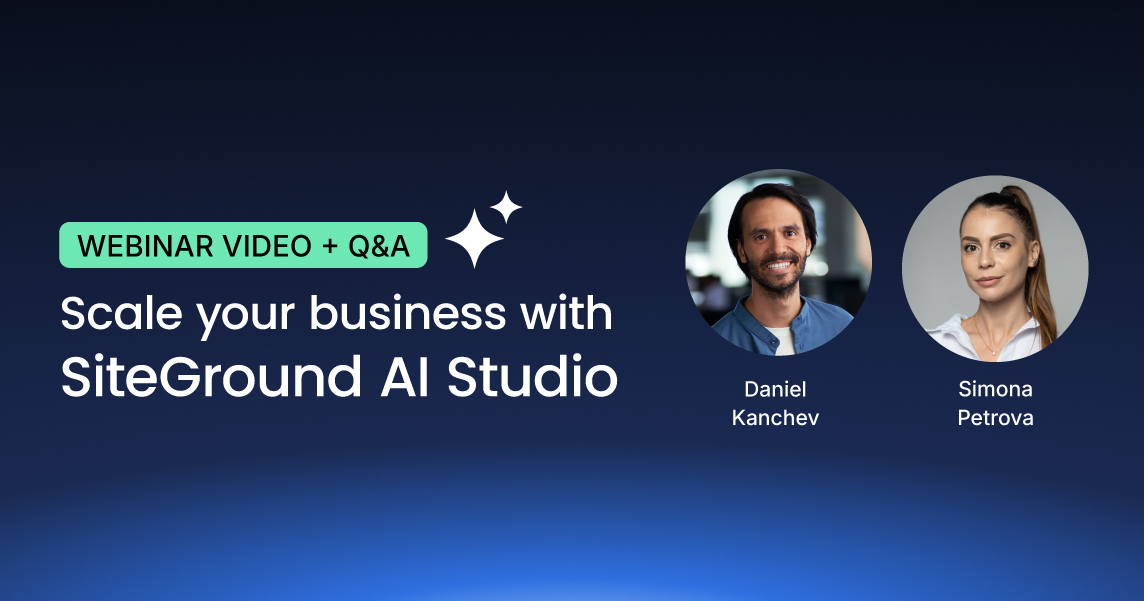
In our January 2026 webinar, Product Director Daniel Kanchev and Product Marketing Manager Simona Petrova demonstrated how leading AI models and specialized agents in SiteGround AI Studio solve real business challenges. Through live demos, they showed how the all-in-one workspace can handle day-to-day business tasks, from content creation to streamlining WordPress and WooCommerce management.
For anyone who couldn’t join the live webinar, or for those who would like a second look at the demos, the full webinar recording is now available to watch on YouTube.
Key takeaways
We covered a lot during the session, so we’ve distilled it down to the most important takeaways for you below.
1. Use the right AI model for every task
Different AI models excel at different tasks, so a core feature of the AI Studio is providing access to multiple leading models from a single workspace. During the webinar, we showcased this “right tool for the right job” approach, explaining how some models are better for summaries while others excel at creative work. We demonstrated this with specific examples, using ChatGPT to instantly summarize a long article into a 30-day action plan, and then switching to Nano Banana Pro to create a unique, high-quality image for a blog post.
With AI Studio, you can explore which model works best for your specific needs without managing separate subscriptions. This full suite of AI models is available for free to all SiteGround customers as part of AI Studio Essential.
2. Streamline WordPress management with the WordPress AI Agent
Included free in the Essential plan, the WordPress AI Agent helps you manage and maintain your WordPress sites through simple chat commands. During the webinar, we showed how you can perform bulk actions like updating multiple WooCommerce products at once – all with a single prompt. You can even manage multiple WordPress instances at once – like rolling out a plugin update across some or all of your WordPress installations, or creating a new user in every site you manage – just by telling the WordPress agent what you need to do. The agent works both in the AI Studio interface and directly inside your WordPress dashboard.
3. Get marketing campaigns done in minutes with AI agents
The Plus plan unlocks 15+ specialized AI agents built with input from real-world business and marketing professionals who know what works. During the webinar, we demonstrated a few of them in action. We showed that unlike general-purpose AI that often requires several rounds of back-and-forth, these agents deliver strategic, ready-to-use output from the start.
For example, the Social Media AI Agents for Facebook, Instagram, and LinkedIn turn your main message into channel-ready posts and publish them directly to your connected pages. They can also analyze engagement and suggest improvements based on best practices. Meanwhile, the Email Marketing AI Agent builds a complete campaign from a single prompt, including subject line, body copy, and images. You can import the output directly to your SiteGround Email Marketing or download the HTML to use in third-party applications.
Answering your questions
We also got a great deal of interesting questions, so we summarized the most popular ones.
Is AI Studio included in my hosting plan, or is it an additional cost?
SiteGround AI Studio offers two plans: Essential and Plus. Every SiteGround customer gets free access to the Essential plan, which includes 20,000 monthly tokens, multiple leading AI models, and the AI Agent for WordPress. The Plus plan is available for an additional cost and provides 100,000 monthly tokens, 15+ specialized business agents for tasks like marketing, content creation, and more, plus a library of ready-to-use prompts to help you get started faster.
What are tokens and how do they work?
Tokens are the units that measure AI usage in SiteGround AI Studio – think of them as the “currency” for every AI interaction. Every task you perform, whether it’s generating text, creating images, running web research, or using AI Agents, consumes tokens based on both your input (your prompt and any uploaded files) and the AI’s output (the generated response). More complex tasks like image generation, file analysis, or multi-step Agent operations use more tokens than simple text requests.
The AI Studio essential plan (free for every SiteGround customer) includes a monthly token allowance of 20,000 tokens, and you can track your usage anytime in AI Studio or your Client Area. Your allowance resets automatically each month.
What is the difference between AI agents and generic chat?
The key difference is expertise. Generic chat is great for brainstorming and quick answers, but it relies entirely on your prompts to guide the conversation. AI Studio agents, on the other hand, have specialized knowledge built into their core instructions. Secondly, our AI agents can execute tasks directly through platform integrations – they don’t just give you text, they can publish a blog post to your website or update products in your e-commerce store.
Does the WordPress AI Agent work with page builders like Divi and Elementor, or only the native WordPress editor?
The vast majority of the WordPress AI Agent’s features work perfectly regardless of which page builder you use. The only limitation is block-level content editing and creation within the builder itself, since each page builder (Divi, Elementor, etc.) uses a unique content structure that requires dedicated integration.
Everything else works seamlessly on any WordPress site:
- Complete content management for posts, pages, categories, tags, media library, and comments.
- Full WooCommerce integration for products, orders, inventory, pricing, and sales reports – everything you need to run your online store.
- User management to create accounts, update roles, and set permissions.
- Plugin and theme management to install, update, activate, deactivate, or remove
- Site configuration to adjust settings and optimize performance.
We’ve seen significant interest in native page builder support for visual editing, and we’re listening closely. We’ll prioritize which builders to integrate next based on user requests, so we encourage you to share your feedback directly through the AI Studio interface.
Can the WordPress Agent create or update products by uploading a spreadsheet with product information?
Yes, the SiteGround AI Studio WordPress AI Agent supports bulk WooCommerce product management through spreadsheet uploads. You can upload a spreadsheet containing your product data – such as descriptions, prices, and inventory – and the WordPress AI Agent can then use that data to either create new products or update existing ones in your WooCommerce store, depending on your instructions.
Can I use the WordPress AI Agent across multiple websites and share access with my team?
Yes, you absolutely can manage multiple websites with the WordPress AI Agent. We designed it to be a core part of the experience for all our customers, which is why its multi-site management capabilities are included in the free Essential plan. There is no limitation on the number of WordPress sites you can connect, allowing you to streamline tasks across all of your web properties from a single, centralized workspace.
Regarding sharing access with your team, there’s a specific way to collaborate using the WordPress AI Agent right now. If a team member has access to your WordPress dashboard, they can use the agent’s features directly from within WordPress, and any tokens they consume will be drawn from the main account owner’s token pool.
Can SiteGround AI Studio create and schedule social media posts automatically?
The SiteGround AI Studio social media agents for Facebook, Instagram, and LinkedIn excel at creating and posting channel-ready posts directly from your prompts. While you can create and publish posts straight to your social pages from the interface right now, scheduled posting – the ability to schedule posts for automatic publishing at future dates – is currently in development. A comprehensive scheduling system that applies to all types of tasks – not just social media – is a high priority on our roadmap and will be a core part of a future update to the SiteGround AI Studio.
Can specialized AI Ads Agents create ad copy and visual assets?
Yes, the SiteGround AI Ads Experts for Meta and Google are designed to create both ad copy and visual assets for your campaigns. You simply provide the agent with details about your product, target audience, and campaign goals, and it generates multiple ad variations around your core offer. Each variation is built to follow the specific structure guidelines of its platform, giving you different hooks and messages to test without having to write each one manually.
What email marketing services can I connect to AI Studio?
The SiteGround AI Studio Email Marketer offers a seamless, one-click integration with our own SiteGround Email Marketing service, allowing you to import your finished ready-to-send-email instantly. While we do not currently offer direct API connections to third-party services, we designed the agent’s output for universal compatibility. You can generate an email and export its full HTML, which you can then easily upload into any external email marketing platform you use.
Will search engines penalize AI-generated content?
No – Google and other search engines have been clear that they don’t penalize content when AI tools were used in the creation process. What matters is quality, not origin. Google’s guidelines focus on rewarding helpful, original content that demonstrates expertise and provides genuine value to readers, regardless of how it was produced.
The SEO risk isn’t AI itself; it’s publishing thin, generic, or mass-produced content that doesn’t serve your audience. To keep your rankings strong, focus on adding your unique perspective, expertise, and real-world examples to AI-generated drafts. Use AI as a starting point, then refine with your own insights and ensure everything is accurate and genuinely useful.
SiteGround AI Studio is designed specifically for creating search-optimized content. Our SEO Expert Agent helps with your keyword research, competitive analysis, and content briefs based on search intent, while the Copywriter Agent creates drafts you can shape to match your brand voice. The result is content that’s efficient to produce and built to perform.
Can AI Studio handle on-page SEO, and does it work alongside plugins like Rank Math or AIOSEO?
Yes, SiteGround AI Studio handles on-page SEO strategy and works seamlessly with SEO plugins like Rank Math, AIOSEO, and Yoast SEO. These tools complement each other rather than conflict – they serve different purposes in your SEO workflow.
Your SEO plugin (Rank Math, AIOSEO, Yoast, etc.) handles the technical implementation: meta tags, schema markup, XML sitemaps, canonical URLs, and on-page analysis. AI Studio’s SEO Expert Agent works upstream as your strategist, helping you with keyword research, competitor analysis, content briefs, and optimization recommendations. You then use insights from the SEO Expert to create content with the Copywriter Agent, and finally publish it to your site using the WordPress AI Agent – where your SEO plugin takes over to handle the technical details.
AI Studio is also developing AI visibility optimization to help content rank across AI platforms (ChatGPT, Claude) and traditional search engines – addressing both SEO and emerging AEO (AI Engine Optimization).
What makes a good AI prompt?
Good prompts are specific prompts. The more details you provide – goal, audience, tone, and any specific requirements – the better your results. To make this easier, our AI Studio Plus plan includes a Prompt Library with ready-to-use prompts for common business tasks like blog posts, product descriptions, and social media content. You can also save your best-performing prompts to reuse them anytime, ensuring consistent, high-quality results without starting from scratch.
What is the difference between Coderick AI and Siteground AI Studio?
The simplest way to think about the difference is that SiteGround AI Studio is designed to help you manage and grow your existing business, while Coderick AI is designed to build new websites and applications from scratch.
SiteGround AI Studio is your day-to-day AI workspace for ongoing business tasks. You use its specialized agents for things like maintaining your WordPress site, creating social media content, running email marketing campaigns, and generating ad copy. It’s a tool for enhancing your productivity and managing your existing business operations. Coderick AI, on the other hand, is a development platform used to create new, fully functional websites and applications without any coding. You simply describe your idea – for example, “build a client invoice tracker with a dashboard” – and Coderick AI generates the entire application, complete with hosting and a database.
Tell us what you need
We’re just getting started with what SiteGround AI Studio can do, and we’re excited for what’s next. Your feedback is what will guide our development, so please don’t hesitate to share your thoughts with us as you work with it. We want to hear your success stories and learn what tools and improvements you need to help you scale your business.






Comments ( 0 )
Thanks! Your comment will be held for moderation and will be shortly published, if it is related to this blog article. Comments for support inquiries or issues will not be published, if you have such please report it through our official channels of communication.
Leave a comment
Thanks! Your comment will be held for moderation and will be shortly published, if it is related to this blog article. Comments for support inquiries or issues will not be published, if you have such please report it through our official channels of communication.